
 Facebook
 Twitter
 LinkedIn

Convert PDF to Word by cloudHQ allows you convert any kind of PDF files to Microsoft Word
Problem: Converting PDFs to Word Shouldn’t Be Hard
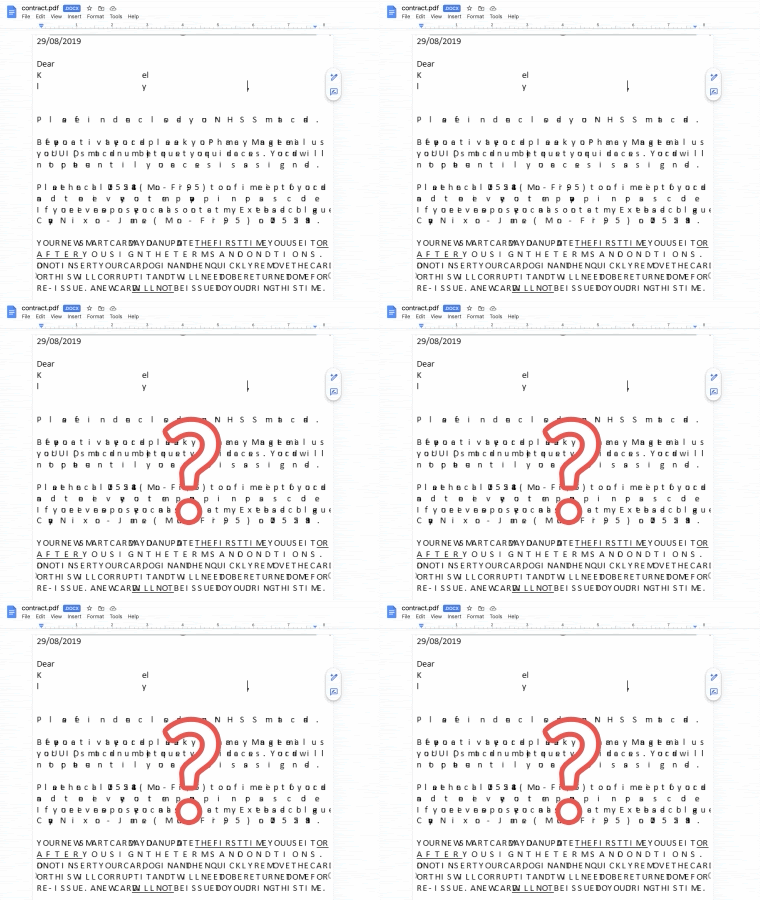
Anyone who has tried to convert a PDF into a Microsoft Word document knows how frustrating it can be. Most free converters either jumble the formatting, miss key elements like images or tables, or fail entirely when faced with scanned PDFs. You end up with a messy, barely usable document that takes more time to fix than it would to recreate from scratch. Whether you are working with contracts, reports, or academic materials, the process is often unreliable and wastes valuable time.
Solution: PDF to Word Conversion in 1 Click
Instead of converting PDFs one by one, you can select an entire folder in your Google Drive and convert every file inside it at once. This is ideal for handling large batches of documents, like reports, receipts, contracts, or scanned forms. With just a single click, the app will convert every PDF in the folder into a Microsoft Word document, saving you time and removing the hassle of manual uploads..
Convert all files from a folder with a single click
Instead of converting PDFs one by one, you can select an entire folder in your Google Drive and convert every file inside it at once. This is ideal for handling large batches of documents, like reports, receipts, contracts, or scanned forms. With just a single click, the app will convert every PDF in the folder into a Microsoft Word document, saving you time and removing the hassle of manual uploads
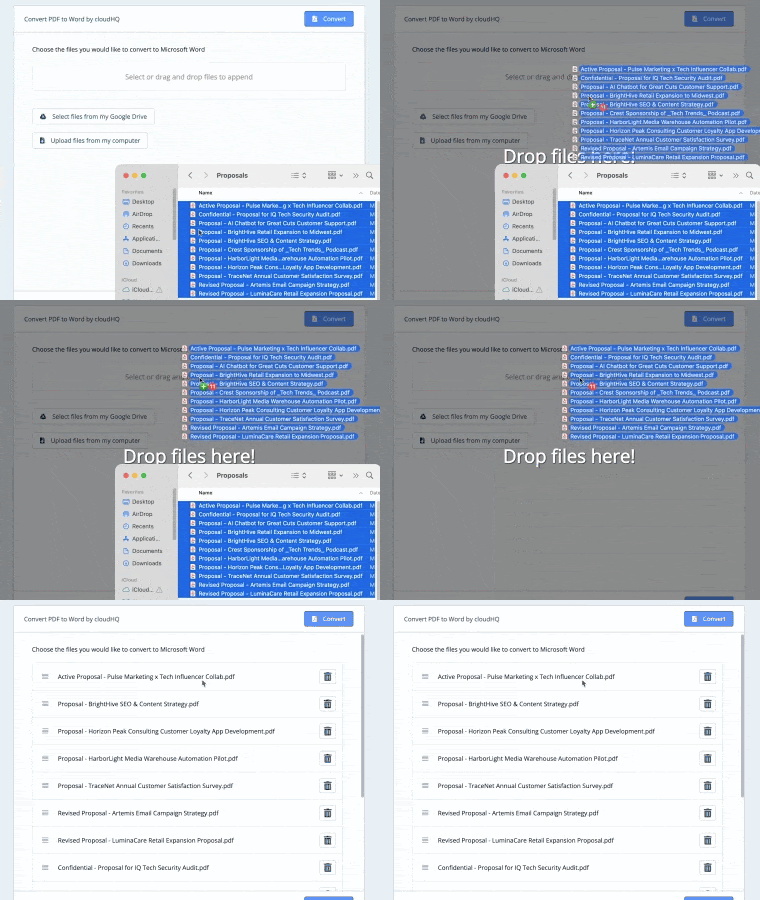
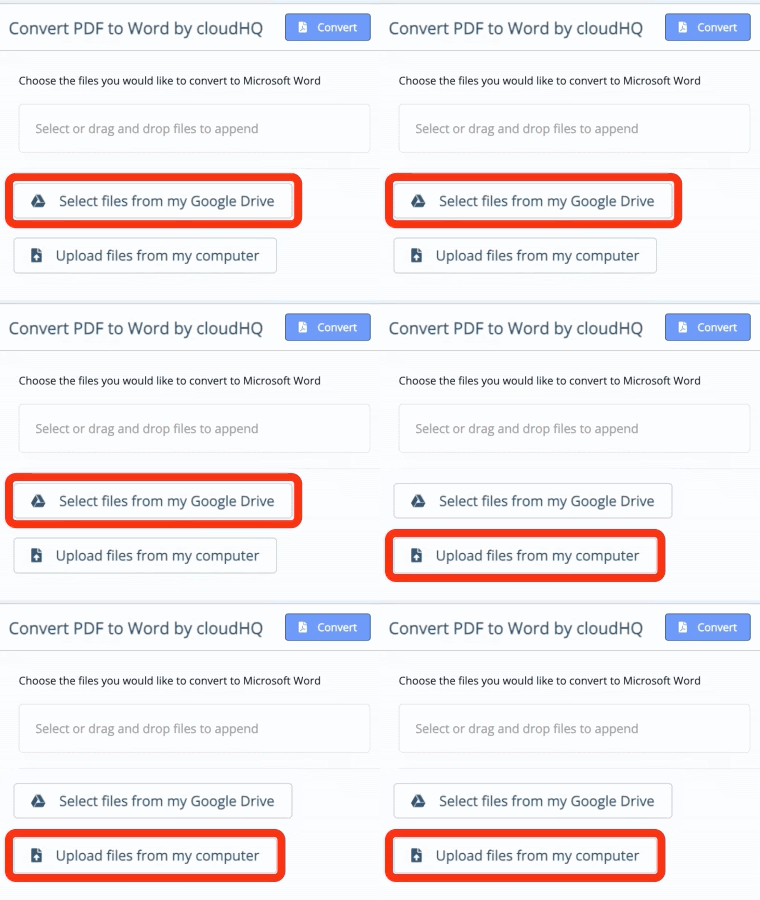
Select Files from Google Drive or upload them directly
Convert PDF to Word by cloudHQ gives you the flexibility to work with files stored in your Google Drive or upload PDFs directly from your computer. You can access and convert documents without leaving your workspace, making the process fast and seamless no matter where your files are saved.
Convert PDFs to MS Word with minimum formatting loss
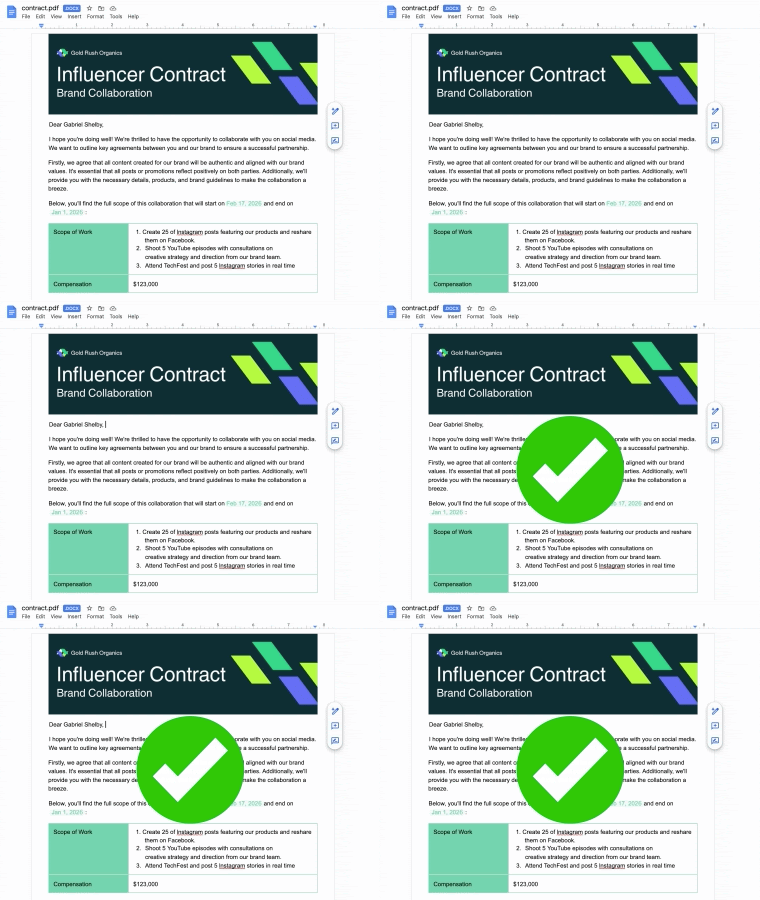
With advanced OCR (Optical Character Recognition) technology, Convert PDF to Word by cloudHQ delivers this level of fidelity in just one click. Whether your PDF contains standard text or is a scanned image, the formatting is preserved and the content is extracted accurately. You no longer have to spend time correcting broken layouts, misplaced formatting, or disorganized tables. Instead, you get a Word document that closely matches your original PDF and is ready to edit.
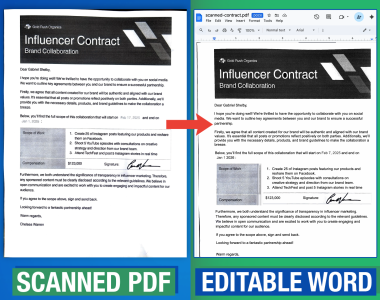
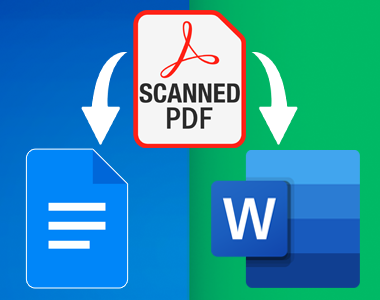
Convert scanned PDFs to MS Word or Google Docs
Convert PDF to Word by cloudHQ uses advanced optical character recognition technology to transform scanned PDFs into fully editable Microsoft Word or Google Docs files. Instead of copying and pasting or starting from scratch, you can instantly work with a clean, well-structured document that retains the original content and layout.
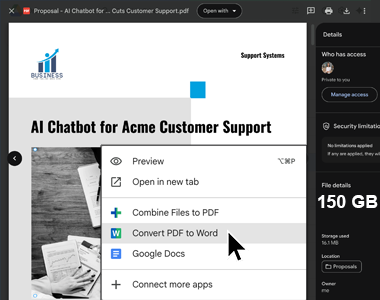
Handles large file batches (gigabytes in size)
Convert PDF to Word by cloudHQ is built to handle large batches of files, even those that are several gigabytes in size. Whether you are processing hundreds of documents or one massive PDF, the app performs efficiently without compromising accuracy or formatting.
Optimized for mobile devices
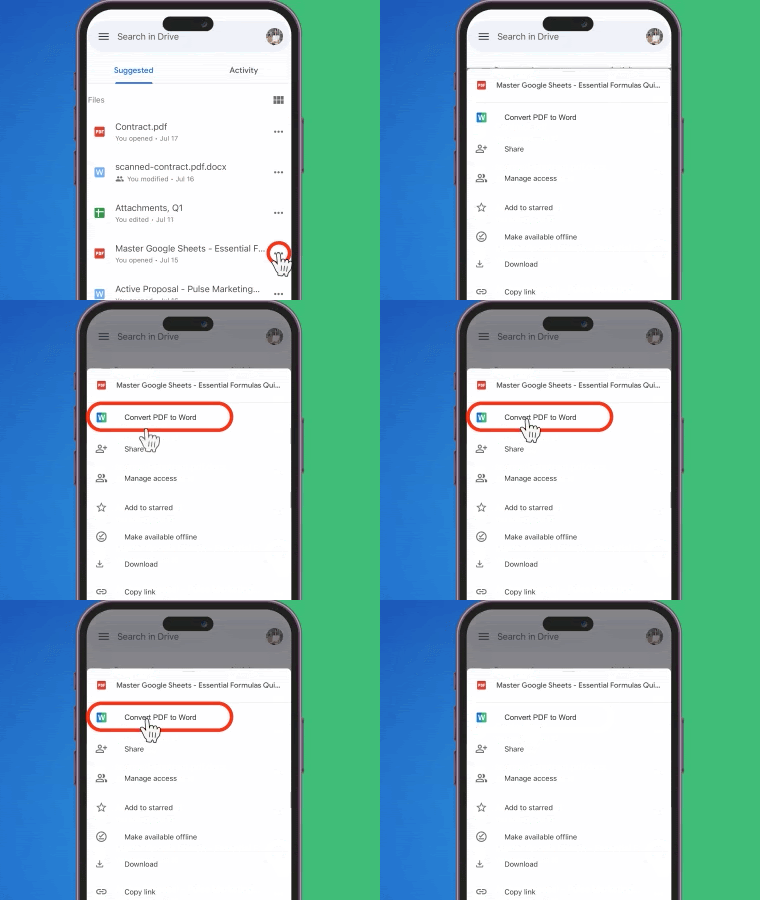
Convert PDF to Word by cloudHQ works smoothly on mobile devices. You can upload and convert PDFs directly from your phone or tablet, making it easy to stay productive while on the go. Whether you are reviewing a contract on your commute or editing a document from your hotel room, the process is simple and efficient.
Support for Google Workspace administrators
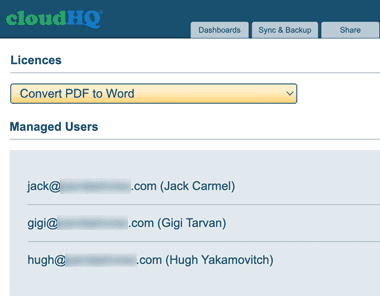
Convert PDF to Word by cloudHQ includes features designed specifically for Google Workspace administrators. Admins can deploy the app across their organization, manage user access, and ensure secure document handling through their existing Google admin console. This makes it ideal for teams that need a consistent and reliable way to convert PDFs into editable Word documents at scale.
5-Star Positive Reviews
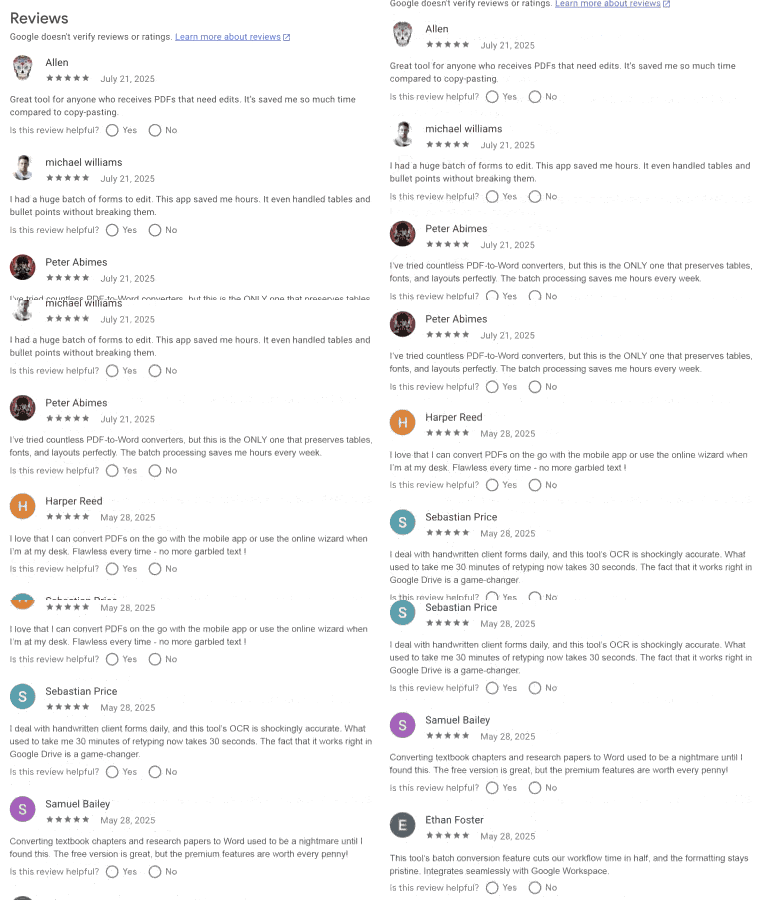
Users consistently share great feedback about Convert PDF to Word by cloudHQ. Many highlight how easy it is to use and how well it preserves formatting, even for scanned documents. Others appreciate how much time it saves in their daily workflows, especially when dealing with bulk conversions or complex files. Whether for business, legal, education, or personal use, customers say the app delivers exactly what they need.
Here is what some of them have to say:
How You Can Use Convert PDF to Word
Convert PDF to Word by cloudHQ is designed for anyone who works with PDFs and needs them converted into editable documents quickly and reliably. Whether your files come from clients, colleagues, scanners, or cloud storage, this app helps you avoid retyping, copying and pasting, or dealing with formatting headaches.
Here are just a few ways professionals use it every day:

Legal Professionals
Attorneys and paralegals frequently work with lengthy PDF contracts, depositions, or scanned case files. With this app, they can convert those documents into editable Word files while preserving layout, which is crucial for legal formatting and annotations.
Educators and School Administrators
Teachers often receive curriculum documents, worksheets, or scanned student submissions in PDF. This app lets them convert those into editable Word files to update lessons or provide digital feedback with ease.Teachers and administrators often receive forwarded emails from parents, staff, or external education platforms that are not Gmail based. Whether it's enrollment forms, student updates, or scheduling requests, this app ensures those emails are readable, searchable, and automatically labeled for proper recordkeeping.

Writers and Editors
Editors working with clients often receive drafts in PDF format. Rather than asking for a new file, they can convert it instantly to Word and get straight to editing. Writers can also use the app to revise old work, update formatting, or repurpose archived PDFs into new content without starting from scratch.
Technical and Industrial Professionals
Engineers, mechanics, and technicians often work with complex manuals and PDF guides in fields like robotics, automotive repair, and aviation. These documents are typically non-editable and packed with diagrams, specifications, and procedures. Converting them to Word allows teams to annotate, customize, or translate them for internal training, documentation updates, or integration into operational checklists. It makes working with high-detail content much more efficient.


Government and Public Sector Workers
Agencies often deal with forms and reports in non-editable formats. This app allows staff to convert scanned PDFs into usable Word documents for updates, data entry, and official records. It helps reduce paperwork bottlenecks and allows departments to collaborate more efficiently across offices.
Healthcare Professionals
Medical staff working with scanned reports or referral documents can convert them for internal note taking, summaries, or inclusion in patient communications. This makes it easier to extract key information, update charts, and keep documentation consistent across teams.


Corporate Teams
From HR to operations to finance, teams can convert policies, onboarding packets, invoices, or scanned receipts into Word for revision or internal documentation. This helps streamline internal processes, reduce manual data entry, and keep documents current without starting from scratch.
Real Estate Agents and Brokers
Real estate professionals often deal with leases, agreements, and property reports that arrive as PDF scans. This app lets them quickly convert those documents into editable Word files for updates, client customization, or compliance documentation, saving time and improving accuracy.


Freelancers and Consultants
When clients send contracts, briefs, or proposals in PDF format, freelancers can quickly convert them into Word to revise terms, add notes, or adjust deliverables. This allows for faster turnaround and more effective collaboration. Writers also benefit by being able to repurpose client materials, refine drafts, or incorporate edits without retyping.
International Teams
Working across languages and systems means a lot of scanned or formatted files. This app helps global teams convert and edit documents with consistency and speed. Whether handling translated reports, scanned contracts, or local compliance forms, the ability to edit directly in Word simplifies coordination. It also ensures formatting remains intact when documents pass between countries, departments, or time zones
No matter your field, Convert PDF to Word helps you save time, reduce errors, and get editable files that retain the look and feel of the original.

Useful Across Industries: Legal, Government, Creative Work, and More
Convert PDF to Word by cloudHQ is designed for anyone who needs to edit, update, or reuse PDF documents without losing formatting. Whether you are working with a scanned contract, a complex report, or a form-heavy document, this app creates an accurate Word file in just one click.
In legal settings, attorneys and paralegals frequently receive scanned case files, contracts, and court filings. This app allows them to convert these documents into editable Word files for redlining, annotations, or official revisions.
In government agencies, staff often work with forms, public notices, or reports that need to be updated or adapted for various departments. Converting PDFs into Word makes this process faster, especially when dealing with scanned or legacy files.
Writers, editors, and journalists regularly receive materials in PDF format. Instead of manually copying the content, they can convert and immediately start editing in Word, preserving the structure and flow of the original draft.
Technical and industrial professionals in fields like robotics, aviation, and engineering often work with equipment manuals, system diagrams, or training materials delivered as PDFs. Converting these into editable documents makes it easier to annotate, localize, and update content for team use or compliance documentation.
Educational professionals use the app to convert worksheets, handouts, and scanned academic resources into editable documents. This helps teachers customize lessons and maintain accurate records without extra formatting work.
Corporate teams across human resources, finance, and operations rely on it to revise internal policies, update onboarding documents, or log expense reports that arrive as PDF attachments.
Healthcare professionals handle referral letters, lab results, and scanned forms that need to be summarized or added to patient records. Converting them into editable Word documents saves time and helps with compliance.
Real estate brokers use it to edit lease agreements, inspection summaries, and property disclosures that come in scanned or static formats. With one click, the files become easy to update and personalize for each client.
No matter your field, Convert PDF to Word eliminates the friction of working with locked or scanned files, giving you editable documents that retain the structure of the original.
Frequently Asked Questions
Is Convert PDF to Word Safe?
- We do not store any of your documents on our servers.
- All communication with cloud services is encrypted using SSL.
- Our software and infrastructure are regularly updated with the latest security patches.
- Our network is protected by an enterprise-class firewall.
- We never store passwords. Authentication is handled via OAuth and OpenID, ensuring secure access without compromising your credentials.
Who Should Convert PDF to Word?
- Legal professionals who receive contracts, court documents, or discovery files in PDF format and need editable versions for revision or annotation.
- Government employees who handle scanned forms, public records, or departmental reports that must be converted for updates or collaboration.
- Writers and editors who receive drafts or client submissions in PDF format and want to quickly convert them to Word for editing without layout issues.
- Corporate teams across HR, finance, and operations who need to revise company policies, onboarding packets, or scanned receipts for recordkeeping.
- Technical and industrial professionals who work with PDF guides, equipment manuals, or specification sheets in fields like engineering, robotics, or aviation. Converting these documents into Word allows for easy annotations, updates, and team collaboration.
- Healthcare workers who need to convert patient forms, lab results, or referral letters into editable documents for internal summaries or communications.
- Educators and school administrators who handle lesson plans, handouts, or scanned forms that need to be customized for classroom use.
- Real estate professionals who work with scanned leases, property disclosures, or inspection reports that require adjustments before sharing.
- Freelancers and consultants who receive project briefs, proposals, or contracts in PDF format and need to tailor content for client needs.
- International teams who manage reports or manuals in scanned formats and need to convert them into consistent Word files for multilingual collaboration.
Testimonials
“We receive technical manuals and equipment specs in PDF format all the time. Being able to convert them into Word documents lets our engineers annotate, revise, and share changes quickly without retyping anything”
- Victor Lam, Manufacturing Operations Lead
“As a healthcare administrator, I deal with scanned referrals, insurance forms, and lab results daily. This app lets me convert everything into editable documents for summaries and recordkeeping. It saves us real time and reduces clerical errors.”
- Jennifer Ruiz, Medical Office Manager